Have you ever been part of a tech project that started with excitement but quickly became stressful and unpredictable? A system upgrade gets delayed, a software launch needs constant fixes, or teams struggle to stay aligned. This is exactly where IT Project Management becomes essential, providing the structure and control needed to handle growing complexity and keep projects on track.
In this blog, you will discover how IT Project Management brings clarity and control to technology initiatives. We will explore its key phases, benefits, challenges, and best practices that help teams deliver successful results. Let’s dive in and explore how it all works.
What is IT Project Management?
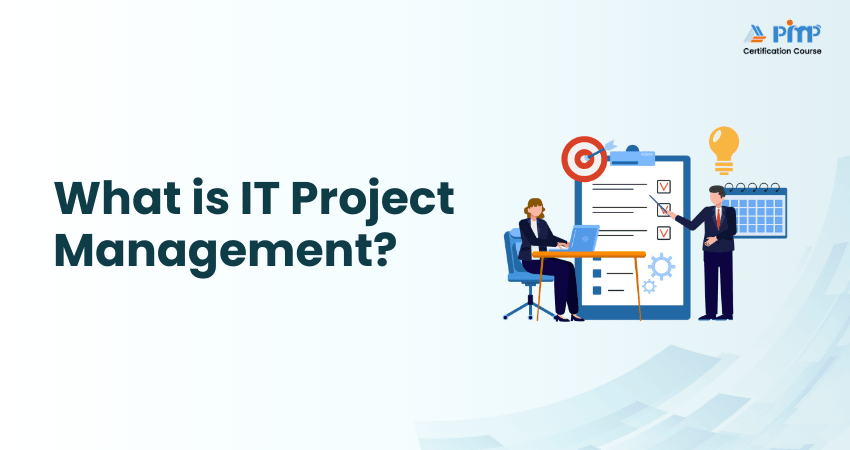
IT Project Management is the process of planning, executing, and overseeing technology-related initiatives such as Software Development, hardware installations, system upgrades, and network improvements. It provides a structured approach to managing complex technical work from start to finish.
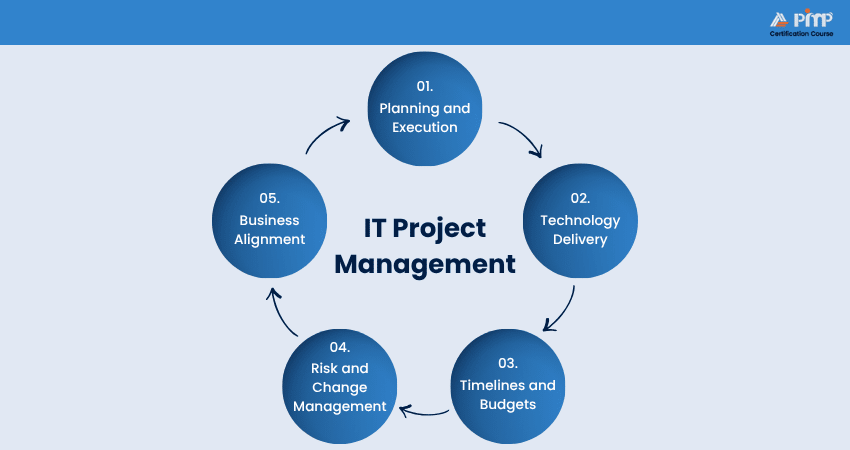
Its main purpose is to ensure that IT projects align with business goals while effectively managing risks, resources, budgets, and timelines. By maintaining control and coordination throughout the project lifecycle, organizations can deliver reliable technology solutions and achieve successful outcomes.
![]()
What are the Phases of IT Project Management?
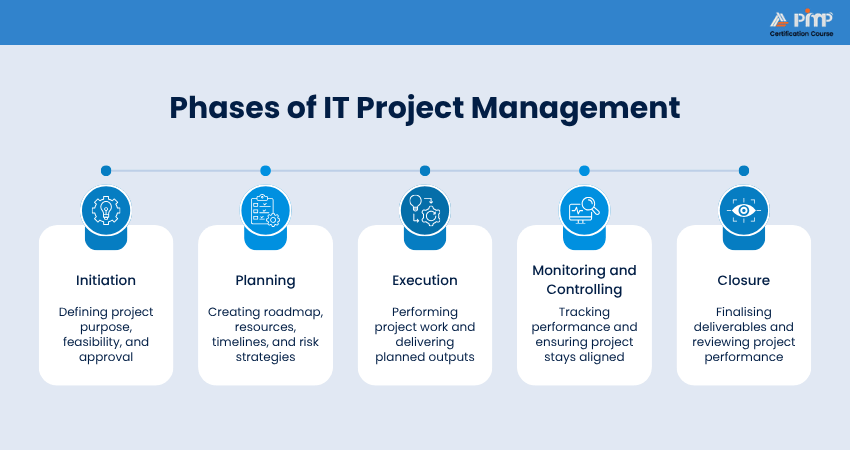
IT projects follow a structured lifecycle within IT Project Management that helps teams plan, implement, and deliver outcomes systematically. Each phase plays a specific role in ensuring project success, as explained below:
1) Initiation
The initiation phase is where the project begins. In this stage, the organization identifies the need for the project and determines whether it is worthwhile to pursue. A project proposal is created to outline the objectives, expected benefits, and overall feasibility.
Project Managers evaluate whether the project is realistic in terms of time, budget, and available resources. Stakeholders are identified, and formal approval is obtained before moving forward. This phase ensures that the project is valuable, achievable, and aligned with organizational goals.
2) Planning
The planning phase focuses on developing a clear roadmap for how the project will be carried out. This stage is highly collaborative, involving the IT Project Manager and the project team working together to define goals and outline the steps required to achieve them.
Key planning activities include defining the project scope, setting the budget, identifying risks, allocating resources, and establishing timelines. Teams create schedules and roadmaps to guide progress. Effective planning reduces uncertainty and helps prevent delays and unexpected costs.
3) Execution
Execution is the phase where the actual project work takes place. The team begins developing deliverables, such as software systems, infrastructure, or technical solutions. Tasks are assigned, and team members work toward achieving project milestones.
The IT Project Manager coordinates activities, manages communication, and ensures everyone understands their responsibilities. As changes often occur during development, the project plan may be adjusted to stay aligned with objectives.
4) Monitoring and Controlling
Monitoring and controlling occur alongside execution to ensure the project stays on track. During this phase, the Project Manager tracks progress in real time and compares performance against the project plan.
This includes monitoring timelines, budgets, scope, quality, and risks. If issues arise, corrective actions are taken to keep the project aligned with its goals. Continuous monitoring helps prevent problems from escalating and ensures efficient project delivery.
5) Closure
The closure phase marks the completion of the project in IT Project Management. All deliverables are reviewed, approved, and handed over to the relevant teams or stakeholders. Documentation is finalized, and project resources are released.
An important part of this phase is evaluating the project’s performance. Teams review lessons learned, identify what worked well, and determine areas for improvement. This reflection helps organizations improve future IT projects and refine their management practices.
What Does an IT Project Manager Do?
An IT Project Manager leads technology projects such as Software Development, network upgrades, or cloud migrations. In IT Project Management, they manage teams, resources, budgets, and risks to keep projects on track. Their key responsibilities are outlined below:
1) Project Planning and Initiation:
IT Project Managers establish the project scope, objectives, and expected outcomes. They develop comprehensive plans that define timelines, resources, and major milestones.
2) Budget and Resource Coordination:
They forecast project costs, arrange the necessary resources such as personnel, tools, and technology, and monitor expenditures to keep the project within budget.
3) Implementation and Progress Tracking:
They manage day-to-day project activities, monitor progress through Project Management tools, and ensure work is completed according to the planned schedule.
4) Risk Identification and Control:
They assess potential technical or operational risks and apply appropriate measures to minimize disruptions or delays.
5) Stakeholder Communication:
They serve as the main point of contact between technical teams, vendors, and stakeholders, sharing updates and aligning expectations throughout the project.
6) Project Completion and Review:
They confirm that all deliverables meet requirements, conduct post-project assessments, and record insights to improve future project performance.
Become a scheduling expert and manage complex project timelines confidently with PMI Scheduling Professional (PMI-SP)® Certification – Register now!
Key Components of IT Project Management
IT Project Management includes key components that help plan, execute, and control technology projects effectively. These elements provide structure and ensure successful delivery, as outlined below:
1) Project Scope: Defines project boundaries, deliverables, and requirements while aligning with business goals. A clear scope prevents unauthorized changes and scope creep.
2) Schedule and Timeline: Sets milestones, deadlines, and task sequences to ensure smooth progress. Tools like Gantt charts and WBS help coordinate work across teams.
3) Resource Management: Ensures the right people, tools, infrastructure, and vendors are available and used efficiently to avoid delays and cost overruns.
4) Risk Management: Identifies and addresses potential threats such as technical failures or security issues to minimize disruptions.
5) Quality Management: Ensures systems or software meet defined standards through performance checks and testing.
6) Communication Plan: Defines how information is shared, including updates, reporting frequency, and communication channels.
7) Stakeholder Management: Engages stakeholders and manages expectations to ensure the project meets changing needs.
8) Budget and Cost Management: Estimates and tracks expenses to keep the project within financial limits.
9) Change Management: Ensures project changes are reviewed and approved before implementation.
10) Integration Management: Ensures new systems work smoothly with existing infrastructure without disrupting operations.
IT Project Management Methodologies
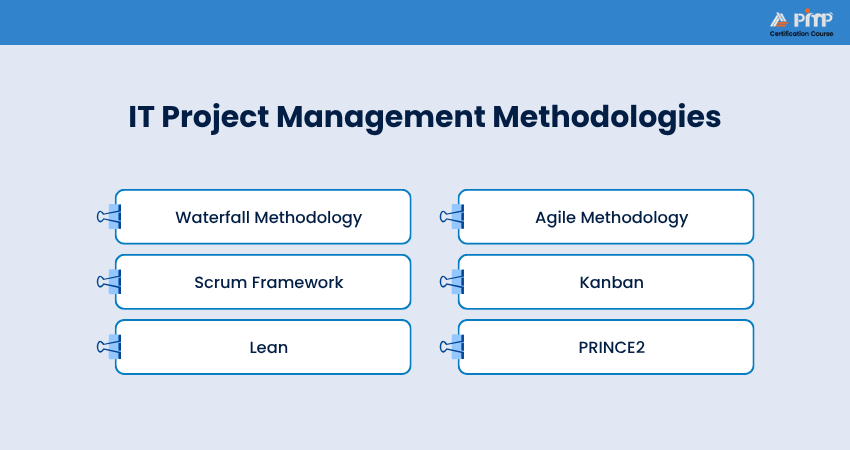
In IT Project Management, methodologies guide how projects are planned, executed, and delivered. They provide structured frameworks to organize work, manage risks, and achieve project goals. The right approach depends on project complexity and team needs.
Below are some widely used methodologies:
1) Waterfall Methodology
Waterfall follows a linear and sequential process where each phase must be completed before the next begins. It works best when project requirements are clearly defined and unlikely to change.
Example: Developing a regulatory financial system where requirements are fixed and must follow strict compliance guidelines.
2) Agile Methodology
Agile focuses on delivering work in small, incremental cycles known as sprints. It encourages continuous collaboration, feedback, and adaptability, making it ideal for projects where requirements may evolve over time.
Example: A startup building a mobile application that updates features based on user feedback after each release.
3) Scrum Framework
Scrum is a specific type of Agile Methodology that organizes work into short sprints and includes regular team meetings to review progress. It defines clear roles such as Product Owner, Scrum Master, and Development Team to ensure collaboration and efficiency.
Example: A software team regularly improves an e-commerce platform by releasing new features and fixes in short development cycles.
4) Kanban
Kanban focuses on visualizing work and managing workflow using boards that track task progress. It supports continuous delivery and helps teams manage workloads by limiting tasks in progress.
Example: A cloud infrastructure team handling ongoing system updates and service requests.
5) Lean
Lean emphasizes efficiency by reducing waste and continuously improving processes in IT Project Management. It focuses on delivering maximum value while minimizing unnecessary effort or resource use.
Example: A DevOps team streamlining deployment processes through automation to speed up product releases.
6) PRINCE2
Projects IN Controlled Environments (PRINCE2) is a highly structured and process-driven methodology that emphasizes planning, documentation, and defined roles. It is commonly used in large, complex projects requiring strict control and governance.
Example: A government IT initiative involving multiple stakeholders and extensive documentation requirements.
7) Hybrid Methodologies
Hybrid approaches combine elements from different methodologies, such as Waterfall and Agile, to suit specific project needs. This allows organizations to balance structure with flexibility.
Example: A company implementing enterprise software may use Waterfall for initial planning and Agile for development phases.
Benefits of IT Project Management
IT Project Management provides structure and control that help organizations deliver technology projects efficiently and successfully. It improves performance, adaptability, and long-term growth, as shown in the key benefits below.
1) Enhanced Productivity
A well-defined Project Management approach helps teams stay focused on clear goals and organized workflows across complex project environments. This improves efficiency, reduces delays, and ensures resources are used effectively, ultimately lowering costs and increasing overall productivity.
2) Improved Adaptability
IT projects often involve changing requirements and evolving technologies across different business environments. Structured Project Management helps teams respond quickly to new challenges, adjust plans when needed, and maintain steady progress even in dynamic and unpredictable operating conditions.
3) Expansion of Your Services
Successful project delivery builds trust and strengthens business reputation in highly competitive and fast-changing markets. This can open opportunities to expand services, attract new clients, and explore new markets or advanced technology offerings for sustainable long-term organizational growth.
4) Enhanced Team Development and Growth
Working on structured IT projects helps team members develop new technical and professional skills through practical, hands-on experience in real project environments. It encourages collaboration, boosts confidence, and supports continuous learning, knowledge sharing, and long-term career development.
5) Better Risk Assessment
IT Project Management includes systematic risk identification and continuous monitoring throughout the project lifecycle. This helps organizations detect potential problems early, reduce uncertainty, and prevent disruptions that could affect overall project success and stability.
Challenges in IT Project Management
IT Project Management involves complex systems, changing requirements, and multiple stakeholders, which can create several challenges. These issues can affect timelines, costs, and overall success if not managed effectively. Some common challenges are outlined below:
1) Time and Budgeting
Projects may face delays or cost overruns due to unrealistic deadlines or limited resources and staffing. Careful planning, realistic scheduling, and detailed budgeting help manage these challenges effectively.
2) Scope Creep
Scope creep occurs when new requirements are added after the project begins without approval. This increases workload, delays timelines, and raises costs. Clear objectives, change control, and strong stakeholder communication help prevent it.
3) Miscommunication
Poor communication can cause misunderstandings, missed deadlines, and unnecessary rework across project teams. Clear communication plans and Project Management tools help keep teams aligned, coordinated, and well-informed.
4) Risk Management
IT projects face various risks, including technical failures, security issues, and integration challenges. If risks are not identified and addressed early, they can disrupt progress. Regular risk assessment and mitigation planning help reduce potential impacts.
5) Changing Technology
Technology evolves rapidly, and new tools or requirements may emerge during a project. This can require adjustments to plans, systems, or skills. Staying flexible and continuously monitoring industry developments helps teams adapt effectively.
Build strong Business Analysis expertise and drive project success with professional PMI-PBA® Certification – Join now!
Best Practices for IT Project Management
Applying best practices helps IT teams manage projects efficiently, reduce risks, and stay aligned with business goals. Key practices that support successful delivery are outlined below:
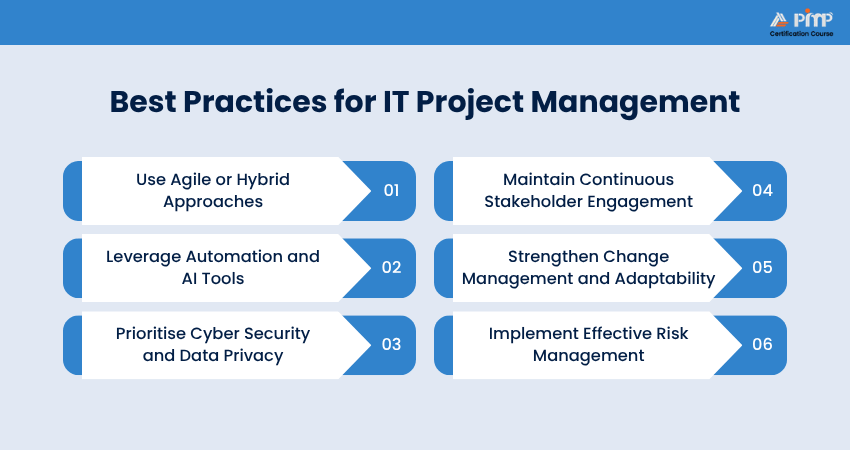
1) Use Agile or Hybrid Approaches:
Choose a methodology that fits the project’s needs. Agile supports flexibility and rapid changes, while hybrid approaches combine Agile and traditional models for projects that need both structure and adaptability.
2) Leverage Automation and AI Tools:
Automation and AI can streamline routine tasks such as scheduling, reporting, and progress tracking. This improves efficiency, supports better decision-making, and helps identify risks early.
3) Prioritize Cyber Security and Data Privacy:
Security should be integrated throughout the project lifecycle. Strong protection measures and compliance with data regulations help prevent breaches and protect sensitive information.
4) Maintain Continuous Stakeholder Engagement:
Regular communication and feedback keep stakeholders informed and aligned with project goals. Ongoing engagement helps refine requirements and manage expectations effectively.
5) Use Cloud-based Project Management Tools:
Cloud platforms enable real-time collaboration, remote access, and centralized project data. This supports seamless teamwork across different locations and time zones.
6) Strengthen Change Management and Adaptability:
IT projects often evolve, so teams must be prepared to manage changes efficiently. Structured change control processes help evaluate and implement modifications without disrupting progress.
7) Improve Collaboration in Remote and Hybrid Teams:
Distributed teams require strong communication tools and clear workflows. Collaboration platforms and regular check-ins help maintain productivity and team cohesion.
8) Support Sustainability and Green IT Practices:
Incorporating environmentally responsible practices, such as energy-efficient systems and sustainable development methods, supports long-term organizational goals.
9) Implement Effective Risk Management:
Regular risk assessments and mitigation planning help address potential issues early, including technical, operational, or external risks.
10) Focus on User Experience (UX):
Design systems with the end user in mind. Prioritizing usability and functionality improves adoption, satisfaction, and overall project success.
Conclusion
IT Project Management is the driving force behind successful technology delivery in today’s digital world. With the right strategies, tools, and best practices, organizations can turn complex ideas into real results. When managed effectively, IT projects not only solve problems but also fuel innovation, growth, and long-term competitive success.
Build real project leadership expertise with Project Management Institute (PMI)® Certification for better career growth – Register today!


 Back
Back

 Topics

 Courses


 10 Aug 2026
 Hailey Davis