It's no surprise that Asana has long been a favorite for keeping projects on track as teams juggle deadlines, ideas, and endless to‑dos. But advancements in the field of Project Management bring a wave of new, exciting tools that challenge the status quo; each offering smarter features, fresh design, or more flexible workflows. There are plenty of Asana Alternatives available.
Whether you’re craving better automation, more in-depth collaboration or a budget‑friendly upgrade, this blog explores the 15 best Asana Alternatives that can transform the way your team plans, executes, and succeeds. So, read on!
Top Asana Alternatives for Project Management
If Asana isn’t ticking all the boxes for your team, fortunately, there are plenty of powerful tools out there that offer more flexibility, better features, or simpler interfaces. Let’s take a look at the top Asana Alternatives to help you manage projects with ease and confidence in 2025.

1) ClickUp
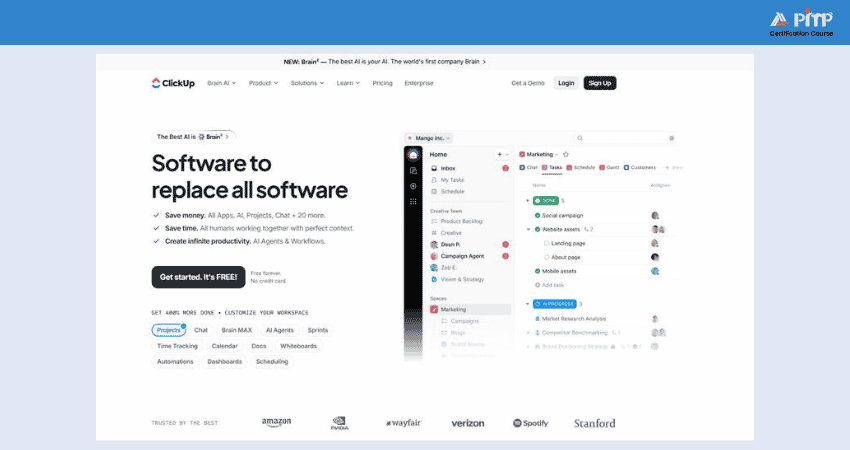
ClickUp is an all-in-one Project Management powerhouse designed for flexibility and collaboration. It offers over 15 customizable views like List, Board, Gantt, Calendar, Workload, Mind Map. Let’s discuss with details for better choosing:
1) Key Features
Here are the key features:
a) 15+ Views:
ClickUp provides over 15 viewing options, such as mind maps, Gantt charts, and whiteboards. This supports different planning styles and project methodologies.
b) Spaces and Folders:
ClickUp follows a layered structure (WorkSpaces to Spaces to Folders), making it well suited for complex teams.
c) Docs:
ClickUp includes built-in document creation and collaboration tools, thus reducing reliance on external Document Management systems.
d) Customization:
Nearly every element in ClickUp can be tailored to user preferences, without needing higher-tier plans for advanced customization.
e) Chat:
ClickUp helps with real-time communication through its Chat view. However, chats require dedicated spaces and careful member setup, as messages can be visible to all team members.
f) Time Tracking:
ClickUp offers native time-tracking features that let users log time directly within individual tasks.
2) Pros
1) No paywalls, many advanced features are available even on the free plan.
2) Highly customizable for agencies, dev teams, and operations.
3) AI features (Brain) save hours, summaries, task suggestions, status nudges all automated.
4) Multiple assignees per task, thread‑assigned comments, and status flexibility.
5) Centralized communication like tasks, docs, emails, comments all tied together.
3) Cons
1) Can feel overwhelming for new or non-technical users, especially small teams
2) Mobile apps lack full feature parity with desktop version
Get hands-on training in Project Management Software – Start with the
Slack Certification
now!
2) Monday.com
Looking for a Project Management tool that’s colorful, visual, and easy for your whole team to use. Monday.com has become a favorite across creative, marketing, and operations teams. Let’s explore what makes it stand out as one of the top Asana Alternatives.
1) Key Features
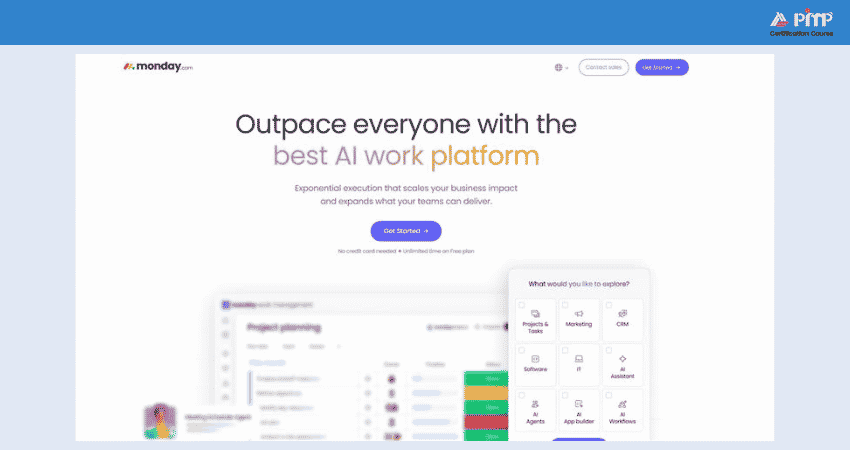
Monday.com is packed with features designed to make managing projects feel less like admin and more like action. Some of its most useful features include:
a) Colour-coded Boards:
Monday.com uses custom colours for statuses and workflow elements, making task progress easy to understand at a glance.
b) Dynamic Column Types:
In addition to standard text and number fields, Monday.com offers specialized columns for time tracking, file sharing, people assignments and more.
c) Multiple Views:
Project data can be switched between table, Kanban, Gantt, calendar and timeline views without losing information.
d) Workdocs:
It provides collaborative documents that link directly to boards, thus keeping planning and documentation closely connected.
e) Dashboard Widgets:
Custom dashboards allow teams to visualize project metrics clearly, thus making reporting simpler and more insightful.
f) Forms:
Built-in forms help collect structured input from internal teams or external stakeholders.
2) Pros
Now let’s talk about what Monday.com does really well. Here’s why so many teams prefer it over Asana:
a) User-friendly interface with bright visuals that simplify onboarding
b) Flexible dashboards and layouts to match different workflows
c) Excellent Data Visualization and reporting tools
d) More cost-effective than Asana for similar feature sets
e) Helpful onboarding and responsive customer support
3) Cons
No tool is perfect, and Monday.com has a few drawbacks to consider:
a) Free version is limited to two users and three boards
b) Automation setup can be tricky for beginners
c) Larger or more complex boards may load slowly over time
3) Wrike
Wrike is a strong alternative to Asana as it’s built with flexibility, customization, and enterprise-grade features in mind. These features make it useful for agencies, IT teams, and larger organizations.
1) Key Features
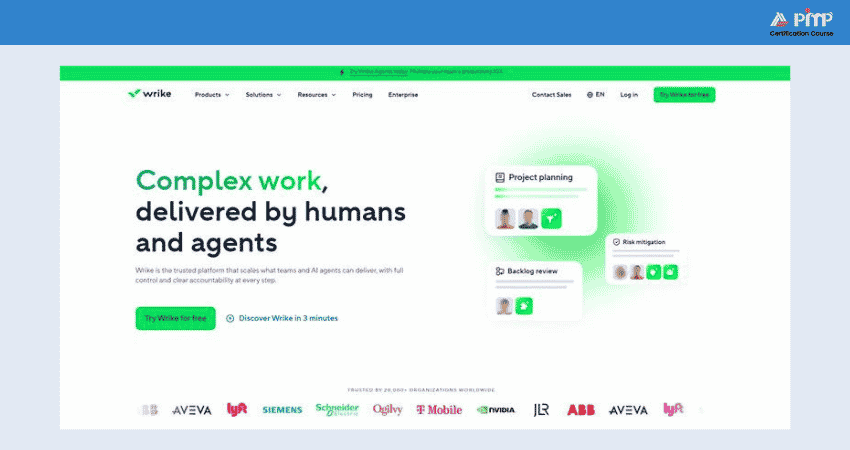
Wrike is built to support dynamic teams and multi-layered workflows. Its standout features include:
a) AI-powered Task Automation:
Reduces manual effort by automating routine actions and workflows.
b) Centralized Request Forms:
Standardizes project intake and ensures consistent information capture.
c) Real-time Dashboards:
Provide clear, actionable insights across projects and portfolios.
d) Flexible Work Views:
Kanban boards and Gantt charts help track timelines, dependencies, and team workloads.
e) Extensive Integrations:
Offers 400+ native integrations, including Microsoft, Google, Dropbox, Salesforce, and Marketo.
2) Pros
Here’s why many enterprise teams and marketing agencies prefer Wrike:
a) Great for managing multiple complex projects across departments
b) Built-in resource planning and time tracking make workload allocation simple
c) Strong customization with dashboards, forms, workflows, and access levels
d) Enhanced security controls, ideal for organizations with strict data policies
3) Cons
Despite its strengths, Wrike may not suit everyone. Consider the following:
a) The user interface can feel less intuitive compared to newer tools like ClickUp or Monday.com.
b) Annual billing only, which may not suit startups needing monthly flexibility.
c) Team plan caps at 15 users, which can be limiting for growing businesses.
4) Trello
Trello is a top pick and with its intuitive Kanban board layout and minimal setup, it's ideal for individuals, freelancers, or small teams who want quick, hassle-free tracking without complexity. Let’s explore why it’s considered one of the best Asana Alternatives:
1) Trello Features
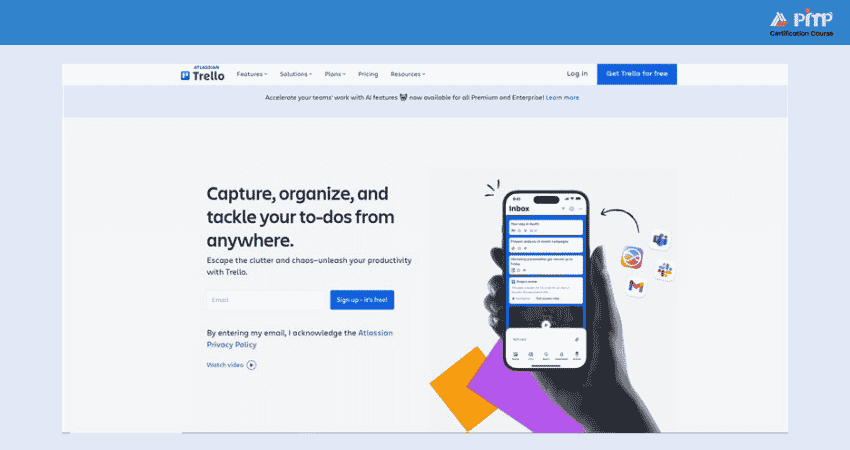
Trello delivers core Task Management with a clean, drag-and-drop interface and useful add-ons:
a) User-friendly Interface:
Trello makes creating, organizing and managing tasks simple and intuitive.
b) Customizable Boards and Cards:
It allows teams to adapt workflows to match their specific working style.
c) Real-time Collaboration:
Trello keeps everyone aligned with instant updates and shared visibility.
d) Wide-ranging Integrations:
Trello connects seamlessly with Slack, Jira, Miro, Evernote, Salesforce, Google Drive, Dropbox, Microsoft Teams, Confluence and GitHub.
2) Trello Pros
a) Trello’s strengths lie in its simplicity and affordability:
b) Extremely easy to use, ideal for teams onboarding quickly.
c) Generous free plan, unlimited cards, 10 boards, one Power-Up per board, 10 MB file uploads.
d) Automations and power-Ups expand functionality affordably.
3) Trello Cons
Trello may be too basic for teams needing advanced features:
a) Core features like dependency tracking, Gantt charts, and Portfolio Management require paid add-ons or Power-Ups.
b) Not ideal for managing complex or multi-project environments.
c) Limited admin tools and reporting capabilities unless on Premium or Enterprise plans.
Manage projects with full potential and ease – Get insights from the
Trello Training
with simple steps!
4) Jira
Trusted by technology teams worldwide, Jira is a popular alternative to Asana. It is designed to manage complex development pipelines and structured project delivery in a scalable and organised way. Jira is especially well suited to software development environments that require detailed tracking, custom workflows, and strong Agile support.
1) Key features
Jira is primarily built for technical teams and Agile methodologies, offering a range of powerful capabilities:
a) Scrum and Kanban Boards:
Jira uses visual boards to help teams manage user stories, issues and other work items commonly found in software development projects.
b) Advanced Search (JQL):
Jira Query Language enables powerful searching and filtering of issues using specific criteria
c) Backlog Management:
Tasks are organized into a prioritized backlog, allowing teams to plan work based on importance and urgency.
d) Roadmaps:
Jira roadmaps provide a high-level view of projects, similar to Gantt charts, helping teams track progress and future plans.
e) Custom Workflows:
Jira allows teams to design workflows that reflect how they work, thus ensuring tasks move through meaningful and relevant stages.
f) Issue Tracking:
Teams can log bugs, tasks or requests, assign ownership, and track progress through to completion.
2) Pros
Why many development-led teams prefer Jira:
a) Excellent for managing software projects using Agile frameworks.
b) Powerful automation, reporting, and metrics tailored to developers.
c) Large ecosystem with thousands of integrations and add-ons.
d)Solid value offers robust functionality at competitive pricing.
3) Cons
Things to consider before choosing Jira:
a) Steep learning curve, especially for non-technical users.
b) Interface often feels clunky or less intuitive than tools like Asana.
Setup and administration require more effort and structure. Simplify Project Management with Wrike Training – Register today to learn from Experts!
5) Smartsheet
Smartsheet offers potent capabilities for organizations that value structure, reporting, and cross-team alignment. It is popular in industries like operations, healthcare, marketing, or regulated environments.
1) Key Features
What makes Smartsheet one of the best Asana Alternatives is that it merges spreadsheet familiarity with advanced project tools. Here are its key features:
a) Gantt View:
It’s got interactive timelines that clearly show task dependencies, schedules and critical paths.
b) Card View:
A Kanban-style board that supports visual Workflow Management and drag-and-drop task organization, ideal for agile teams.
c) Dashboards:
Real-time, customizable dashboards that display project data, KPIs, task summaries, and reports in one place.
d) Automated Workflows:
Built-in automation to handle repetitive tasks, approvals, alerts, and reminders more efficiently.
e) Resource Management:
Workload and allocation views help Managers balance team capacity, prevent overload and optimize assignments across projects.
2) Pros
Here’s what users commonly praise:
a) Combines Excel-like usability with Project Management depth.
b) Excellent real-time dashboards and reporting, praised in large organizations such as GSK and Palfinger.
c) Scalable collaboration, including guest access and secure external editing.
d) High customer satisfaction and usability scores across verified reviewers.
3) Cons
Potential drawbacks to be aware of:
a) No long-term free plan, only a 30-day trial before paid tiers are required.
b) Steep learning curve for non-spreadsheet users; advanced setups benefit from training like Smartsheet University.
c) Can feel basic or rigid compared to modern PM tools; complex customizations may require more admin overhead.
6) Airtable
Airtable is a strong option because it blends database functionality with a clean, modern interface. It is ideal for content teams, marketers, and planners who want flexibility without diving into code. Let’s explore what makes Airtable stand out as one of the best Asana alternatives.
1) Key Features
Airtable is designed for structure, creativity, and collaboration. Its features combine spreadsheet-style input with database logic and powerful visual tools:
a) Workflow Automation: Handles repetitive tasks automatically, helping teams save time and reduce manual effort.
b) Interface Designer: Allows teams to create custom interfaces tailored to their specific workflows and needs.
c) Multiple Data Views: Includes calendar and gallery views to visualize information in formats that suit different working styles.
d) Extensive Integrations: Connects with Slack, Google Drive, Salesforce, Jira, Zendesk, Box, Gmail, Miro, Typeform, and Dropbox for seamless collaboration.
2) Pros
Airtable brings a lot to the table, pun intended. Here’s what users love about it:
a) Combines spreadsheet ease with database power.
b) Great for content calendars, CRMs, product tracking, and editorial workflows.
c) Automation saves time and keeps data flowing.
d) Clean, user-friendly interface that's easy to adopt.
e) AI features enhance productivity and streamline setup.
3) Cons
It’s not all perfect, especially if you’re scaling fast. Consider these limitations:
a) Higher pricing for premium views like Gantt and AI credits.
b) Limits on records and automation in lower plans.
c) Some learning curves for advanced features like scripting or interface building.
Build custom workflows and automate tasks with
Airtable Training
- Start your journey today!
7) Basecamp
As one of the top Asana Alternatives, Basecamp stands as the best fit for small to mid-sized teams focused on communication rather than complex task workflows.
1) Key Features
Basecamp emphasizes simple, effective team collaboration and basic project tracking tools. Here are its key features:
a) Automatic Check-ins:
Prompt team members to share regular updates, improving visibility and accountability.
b) Centralized Schedule:
Keeps important dates, milestones, and deadlines organized in one shared place.
c) Docs and Files Storage:
Stores project documents and files centrally for easy access and organization.
d) Wide-ranging Integrations:
Works seamlessly with Slack, Trello, Asana, GitHub, Jira, Microsoft Outlook, Google Calendar, Dropbox, Zapier and Evernote.
2) Pros
Basecamp’s standout strengths make it ideal for certain team setups:
a) Super user‑friendly and fast to onboard, even for non‑tech users.
b) Communication tools are centralized, reducing reliance on Slack or email.
c) Simple permission settings and client sharing built-in.
d) Flat-rate pricing model scales well for large teams.
3) Cons
This platform has some limitations to keep in mind:
a) No built-in time tracking, Gantt charts, task dependencies, or advanced dashboards.
b) Lacks strong workflow customization or automation capabilities.
c) Interface may feel outdated and less intuitive than modern tools.
Get hands-on
Basecamp Training
to improve your team’s collaboration skills – Register today!
8) Notion
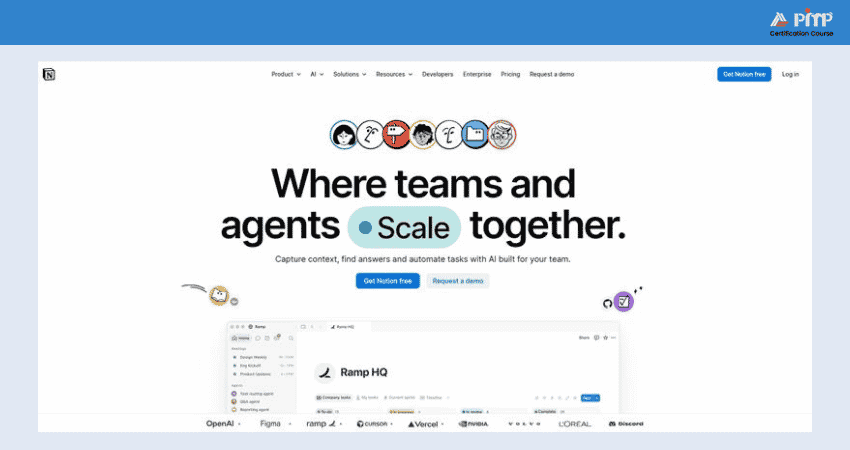
Notion is ideal for teams or individuals who value structure without sacrificing creativity in startups, content teams, or internal knowledge-sharing use cases.
1) Key Features
Notion offers a modular workspace where everything is built from content blocks, making it easy to customize. Here are its key features:
a) Linked Databases:
In Notion, you can create a database once and reuse it across multiple pages. Custom views let you display only relevant items, such as personal tasks or weekly notes.
b) Templates:
Notion offers a wide range of ready-made templates for meetings, roadmaps, OKRs, and more.
c) Toggle Lists:
Toggles let content be hidden or revealed as needed, keeping pages clean while still accommodating detailed notes, FAQs, or step-by-step guidance.
d) Synced Blocks:
Updates made to a synced block automatically reflect everywhere it appears, making it ideal for shared policies, footers, or recurring callouts.
e) Timeline View:
Tasks and projects can be displayed on a timeline to show responsibilities and schedules clearly across days, weeks or months.
2) Pros
What makes Notion stand out for many teams:
1) Extremely flexible, can serve as notes, tasks, docs, or even lightweight project hubs.
2) Clean UI, easy to customize, and ideal for internal knowledge bases Efficient App.
3) Affordable Free plan with generous features for individual users or small teams.
4) Notion AI enhances productivity, especially for content creators and planners on paid tiers.
3) Cons
Some challenges to bear in mind:
1) It can be overwhelming if structured flexibility leads to decision fatigue for teams.
2) Mobile and offline support lag desktop, especially for heavy database users.
3) AI now reserved for Business & Enterprise users; free/Plus have limited or trial access. AI features are mainly available on Business and Enterprise plans, with free and Plus users having limited or trial-only access.
Simplify project planning with our easy and practical Notion Training - Sign up today!
9) Teamwork
For agencies, consultancies, or service-oriented teams managing client projects and billing, teamwork stands out as a highly effective and feature-rich alternative to Asana. It brings together Task Management, time tracking, reporting, and client communication within one platform.
1) Key Features
Here are the key features of Teamwork:
a) Workload Planner:
Displays how work is distributed across team members, helping Managers balance tasks, prevent burnout, and adjust workloads when required.
b) Billing and Invoicing:
Track billable time and generate and send invoices to clients directly within Teamwork.
c) Client Access:
Provides clients with controlled access to projects, enabling them to view progress, comment, and upload files without full internal visibility.
d) Teamwork Chat (Add-on):
Provides real-time messaging for work discussions, without switching between tools.
e)Teamwork Spaces (Optional Product):
A dedicated, wiki-style space for managing company knowledge, standard operating procedures, and internal documentation.
2) Pros
Here's what makes Teamwork appealing for client-facing teams:
a) Strong support for client-centric workflows, including invoices and proofs.
b) Excellent workload/Resource Management and time tracking built-in.
c) Competitive pricing, more features at lower cost than Asana’s equivalent plans.
d) Easy for teams to collaborate, with an intuitive interface and flexible project setup.
3) Cons
Notable limitations to consider:
a) Interface and navigation can be less streamlined than newer tools.
b) Steep learning curve due to breadth of features, especially for smaller teams or those new to project.
Free plan limited to five users and only two active projects at a time.
10) ProofHub
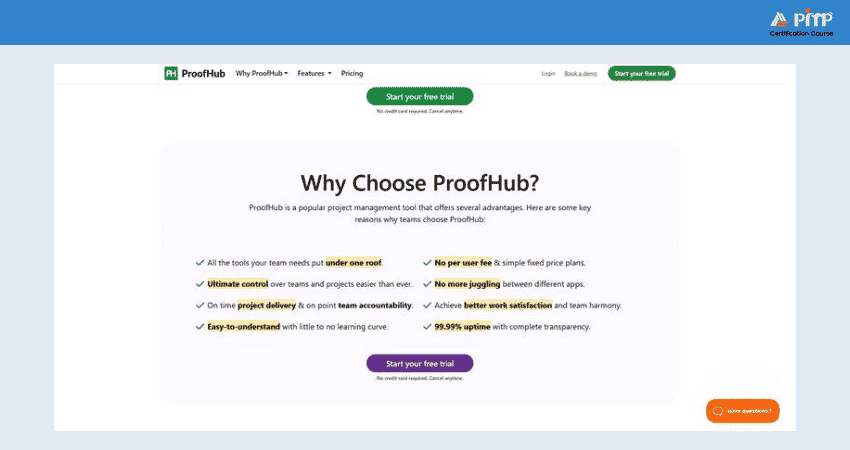
ProofHub is worth considering as it is useful for teams managing client projects, design workflows, or large groups where collaboration and cost-efficiency are key.
1) Key Features
Here are the key features of ProofHub:
a ) Task Management:
In ProofHub, you can create and organize tasks using table, board, calendar and Gantt views.
b) Team Collaboration:
Keep conversations connected to work through built-in discussions, announcements and direct chats, thus reducing reliance on long email threads.
c) Document Management:
Upload, store and share files within projects using folders, version control and centralized proofing for smooth reviews and approvals.
d) Time Tracking:
Record hours and generate timesheets within the platform, making it easy to track billable time and monitor team workload accurately.
e) Custom Workflows:
Configure task stages and approval flows to match your team's workflow, ensuring consistency without changing existing processes.
f) Project Reporting:
Access built-in reports for progress, workloads, and time logs, to help teams identify bottlenecks and plan with greater confidence.
2) Pros
ProofHub stands out for its practical value and team-friendly features. Here are its pros:
a) Flat pricing, unlimited users and projects without extra cost.
b) Integrated communication and collaboration tools in one platform.
c) Easy to set up and use, even for less technical teams.
d) Built-in time tracking, proofing, and task dependencies keep teams on track.
ProofHub Cons
There are some trade-offs to consider:
a) Interface can feel cluttered and less modern than competitors.
b) Time tracking and integrations are functional but basic.
c) Workflow automation and customization are less flexible than in premium tools like ClickUp.
11) Microsoft Project
Microsoft Project is a widely recognized Project Management tool built for organizations that need advanced planning, detailed resource control, and strong integration with the Microsoft 365 environment. It supports projects of all sizes, from small initiatives to large, complex portfolios.
1) Key Features
Here are its key features:
a) Project Planning:
You can plan and manage work using Gantt charts, Kanban boards, and grid views. This helps set dependencies, milestones, and deadlines to maintain clear project timelines.
b) Task Management:
You can break projects into manageable tasks, assign ownership, set priorities, and track progress with real-time updates.
c) Resource Management:
It helps allocate people, equipment and materials effectively using workload views to balance capacity.
d) Collaboration:
You can support teamwork through co-authoring, file sharing, and direct integration with Microsoft Teams and SharePoint.
e) Reporting and Analytics:
MS Project helps create built-in or custom reports and dashboards to monitor progress, costs, resource usage and overall project health.
f) Portfolio and Roadmaps:
You can oversee multiple projects and programs with portfolio tracking, high-level roadmaps and critical path analysis for strategic decision-making.
2) Pros
Here are MS Project’s main benefits:
a) It’s got powerful scheduling and Resource Management tools
b) It enables enterprise-level reporting, security and governance
c) It ensures seamless integration with Microsoft 365 and Teams
d) It’s highly adaptable for complex workflows and industry requirements
3) Cons
Here are the drawbacks to consider:
a) There’s steeper learning curve for new users or smaller teams
b) Its higher-tier pricing can become costly at scale
c) Its collaboration features feel less intuitive compared to lighter, modern tools
12) Zoho Projects
Zoho Projects is designed for teams that need greater control over planning, tracking, and automation, particularly in process-driven environments. While tools like Asana prioritize speed and simplicity, Zoho Projects focuses on customization, time tracking, and seamless integration across the wider Zoho ecosystem.
1) Key Features
Here are its key features:
a) Blueprints:
In Zoho Projects, you can create customized workflows that automate recurring actions such as task assignments, notifications, and stage transitions.
b) Timesheets:
You can record and approve time spent across projects to support accurate client billing.
c) Issue Tracking System:
It helps log bugs, assign ownership, set priority levels and track resolution progress.
d) Zoho Ecosystem:
It integrates seamlessly with Zoho Books, CRM and Desk to manage multiple business functions within one connected system.
e) Custom Layouts:
It helps build tailored workflows using custom fields, statuses and layouts to match specific team requirements.
2) Pros
Here are its main pros:
a) It offers cost-effective pricing, even at advanced tiers
b) It ensures strong automation features and deep integration with Zoho applications
3) Cons
Here are the key drawbacks:
a) Interface can feel outdated in certain areas
b) Advanced features may require time to learn
13) Confluence
Confluence is a collaborative workspace built to help teams create, organize, and share knowledge in one central location. It is well-suited for documenting processes and supporting teamwork across departments.
1) Key Features
Here are its key features:
a) Customizable Templates:
It helps you quickly create consistent project pages and documentation using ready-made or custom templates.
b) Dynamic Whiteboards:
It helps brainstorm ideas visually and share up-to-date diagrams and concepts with your team.
c) Collaborative Editing: you can work on pages together in real time, ensuring information stays accurate and current.
d) Integrations:
It connects seamlessly with Jira, Trello, Slack, Microsoft Teams, Google Drive, Dropbox, Salesforce, Zoom, GitHub, and Microsoft OneDrive.
2) Pros
Here are its pros:
a) It supports visual brainstorming with built-in whiteboards
b) It makes it easy to link related pages and content
c) It enables real-time collaboration across teams
3) Cons
a) Lacks advanced Project Management capabilities
b) Can feel complex when managing very large projects
14) Scoro
Scoro is built for organizations that manage time, finances, and projects as a single connected system. When work is closely linked to budgets, billing, resource planning, and profitability, Scoro provides a unified platform to oversee everything in one place. Unlike tools such as Asana that prioritize team-level collaboration and task completion, Scoro delivers business-wide visibility.
1) Key Features
Here are the key features of Scoro:
a) Resource Scheduling:
View team availability, assign work based on capacity, and monitor workloads to prevent burnout and improve resource use.
b) Financial Tracking:
Turn quotes into project budgets, compare planned and actual costs, and manage external expenses using purchase orders and supplier tracking.
c) CRM Pipeline:
Manage leads, clients, and opportunities with an integrated CRM, linking communication history, projects and sales pipelines in one view.
d) Automation Workflows:
Automate routine actions and trigger notifications for approvals, updates, or task handovers.
e) Collaboration:
Share files, communicate within tasks, and use project message boards to keep teams and clients aligned.
2) Pros
Here are its benefits:
a) Scoro is well-suited to professional services such as consulting, marketing and IT
b) It's highly customizable dashboards and reporting
c) It has strong time tracking and billing functionality
3) Cons
Here are its drawbacks:
a) Scoro’s broader feature set results in a steeper learning curve
b) Its pricing can be high for some teams
c) It puts less emphasis on lightweight team collaboration
Why Consider Alternatives to Asana?
Asana is a well-known Project Management tool, but it’s not a one-size-fits-all solution. Many teams eventually find that Asana doesn’t fully meet their evolving needs. Here are some common reasons why businesses and teams consider switching:
a) Limited Customization:
Asana’s structure works well for basic Task Management, but it can be restrictive when trying to build complex workflows.
b) Missing Built-in Features:
Essential features like native time tracking, advanced reporting, and Gantt charts aren’t available unless you use third-party integrations.
c) Price Increases with Team Size:
As your team grows, so does the cost. For large teams or those scaling quickly, Asana’s pricing can become less budget-friendly compared to alternatives.
d) Steep Learning Curve for Some Users:
While Asana has a clean interface, new users, especially those who are unfamiliar with digital Project Management tools.
e) Better Options for Specific Use Cases:
Some tools are better suited for Software Development, content planning, client work, or data-heavy projects, offering features that Asana lacks.
Choosing the Best Asana Alternative for Your Team’s Needs
With so many excellent Asana Alternatives available, the right choice depends on your team's size, workflow complexity and collaboration style. Here’s how to decide:
a) For all-in-one Functionality:
Go with ClickUp. It’s packed with features and suits everything from startups to enterprise teams.
b) For Visual Simplicity and Ease of Use:
Monday.com or Trello are perfect for non-technical teams that love drag-and-drop workflows.
c) For Agile or Development Teams:
Jira is purpose-built for software projects, with issue tracking, sprints, and roadmap planning.
d) For Client-facing Businesses:
Teamwork or Basecamp offer built-in client tools, invoicing, and a collaborative workspace.
e) For Spreadsheet-style Control:
Smartsheet blends the power of Excel with project tracking features, great for operations and planning.
f) For Database and Content Planning:
Airtable and Notion offer customisable, flexible platforms for editorial, CRM, or internal tools.
g) For design and Feedback Workflows:
ProofHub delivers flat-rate pricing, proofing tools, and structured collaboration.
Conclusion
Finding the right Asana Alternatives depends on your team’s size, goals, and workflow style. Whether you need advanced features, budget-friendly plans, or visual simplicity, there’s a perfect match out there. Explore your options, try a few, and choose the one that best supports your team’s productivity, collaboration, and long-term project success. The right tool makes all the difference.
Learn to lead projects with the right tools – Join our
Project Management Tools Courses
today!


 Back
Back

 Topics

 Courses


 10 Aug 2026

 Gary Moore