Projects rarely fail because of a lack of effort; they fail when progress is unclear, deadlines are missed, or issues go unnoticed. This is where a Project Tracker comes in as your command center for turning every plan into measurable progress. From managing tasks to monitoring timelines and resources, proper tracking keeps everything moving forward.
Essentially, a Project Tracker helps teams stay organized by providing a clear view of tasks, timelines, and performance in one place. In this blog, we'll explore Project Trackers, key tools, best practices and how to use them successfully. So read on and make sure your team stays aligned, accountable and on track for success!
What is Project Tracking?
Project Tracking is the process of monitoring and measuring a project’s progress against its planned objectives. As a key aspect of project and portfolio management, it helps organizations maintain visibility into project performance and identify potential issues early.
By reviewing progress across one or multiple projects, teams can make informed decisions, address challenges quickly, adjust priorities when needed and stay aligned with business goals. To streamline this process, many organizations use Project Tracking tools to automate reporting, centralize updates and provide real-time visibility into project progress.

What is a Project Tracker?
A Project Tracker refers to any tool that helps teams monitor and manage project progress in one central location. Through dashboards and reports, it provides a clear view of project performance without needing manual checks across multiple systems. A Project Tracker is useful for managing individual tasks, team initiatives and large-scale projects. These tools help organizations to:
1) Clearly define responsibilities and deadlines to improve accountability
2) Share task updates and project information in real time
3) Monitor project status, time and budgets more efficiently
4) Create and share progress reports with stakeholders
5) Streamline workflows and improve overall project visibility
Why is Project Progress Tracking Important?
When organizations regularly track their projects, they see clear improvements in how work gets done. Here’s why Project Progress Tracking matters:
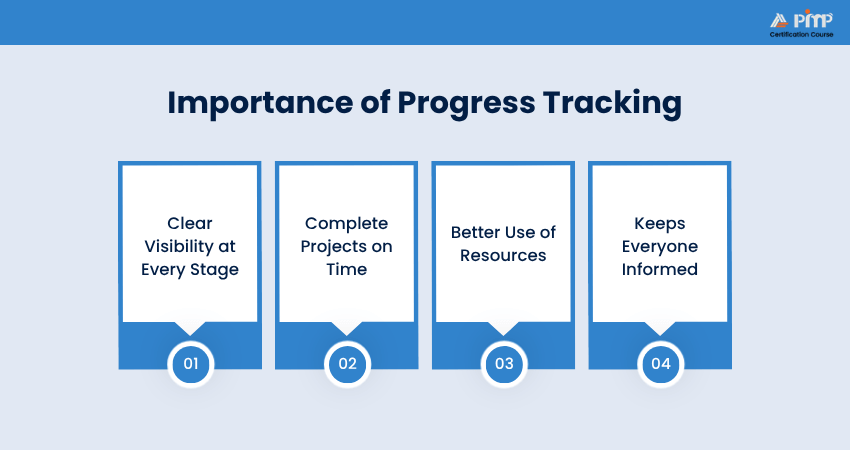
1) Clear Visibility at Every Stage:
Tracking helps you see exactly what’s happening in real time. Instead of relying on guesswork, dashboards and reports show the status of tasks and projects instantly, reducing the need for constant meetings.
2) Complete Projects on Time:
By comparing progress to the original plan, you can quickly spot delays or issues. Early warnings like missed milestones or blocked tasks help fix problems before they grow bigger.
3) Better Use of Resources:
Tracking shows who is overloaded and who has extra capacity. Managers can avoid burnout and make sure no one is sitting idle.
4) Keeps Everyone Informed:
Automatic reports make it easy to share updates with stakeholders. This keeps teams, leaders, and clients aligned without extra manual work, especially useful when managing multiple projects at once.
How to Track Project Progress?
Keeping track of project progress doesn’t need to be overwhelming. There are straightforward ways to stay organized and maintain momentum as you oversee a full project portfolio. These are the practical methods to help you master Project Tracking:
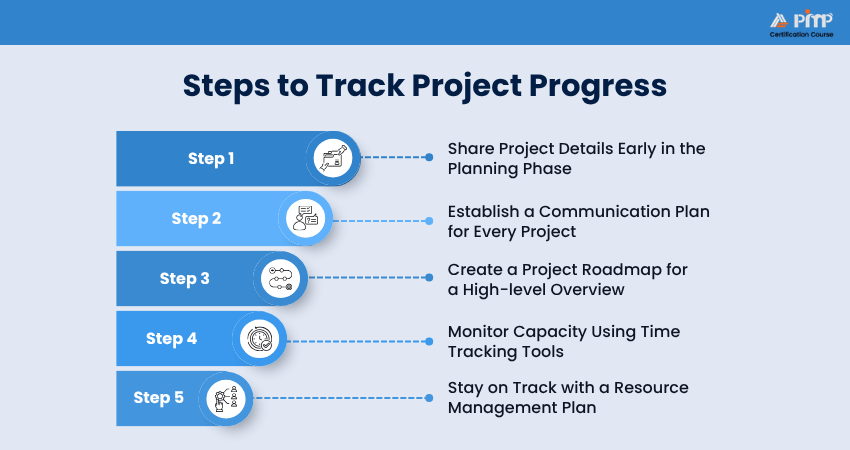
Step 1: Share Project Details Early in the Planning Phase
A project plan is the roadmap outlining everything needed for success. Planning typically takes place before tracking begins and is the first step when launching a project. By developing a detailed plan, you give your team and stakeholders a clear understanding of timelines and expectations right from the start. This creates shared clarity from the beginning.
Step 2: Establish a Communication Plan for Every Project
A communication plan explains how the information will be shared throughout the project. It identifies where updates will be available, the channels to be used, such as email, messaging platforms, meetings, etc., and how often communication will occur. It should also include when project updates will be shared. To make tracking more effective, consider using visual Project Management tools like:
a) Kanban boards:
Show task progress through stages like “To Do,” “In Progress,” and “Completed.”
b) Gantt charts:
Display timelines, dependencies and milestones.
c) Calendars:
Highlight the deadlines for key deliverables.
Step 3: Create a Project Roadmap for a High-level Overview
For larger and more complex initiatives, a project roadmap can give you a simplified, high-level view of the overall plan. It helps stakeholders easily understand deliverables and major milestones, offering a clear snapshot of how everything fits together over time.
Step 4: Monitor Capacity Using Time Tracking Tools
At the task level, monitoring the duration of each activity can improve the accuracy of your planning. Time tracking tools can often be integrated into Project Management systems and help you measure effort more precisely without adding extra complexity.
Step 5: Stay on Track with a Resource Management Plan
In Project Management, resources include everything needed to complete work, including people, budgets and tools. A Resource Management plan defines what’s available and how it will be used. By mapping resource capacity, you can make sure your team understands priorities and workloads are managed effectively.
Power your Project Management career forward with
Project Management Institute (PMI)® Certification Training
- Sign up now!
Top Five Project Tracking Tools
Here are five of the finest Project Tracker tools in the market that offer everything from dashboards and Gantt charts to Cloud access for both small and large teams:
1) Smartsheet
This is a Cloud-based Project Management and tracking platform. It combines your familiarity with spreadsheets with advanced Project Management features. It enables teams to track tasks, manage resources, monitor milestones, automate workflows and create real-time dashboards. It is particularly useful for organizations managing multiple projects at scale.
2) Monday.com
Monday.com is a popular visual Project Tracking tool designed to help you plan and monitor projects in one place. It brings in customizable dashboards, multiple project views, workload management, automation and real-time progress tracking. Its flexible interface makes it suitable for teams of all sizes and industries.
3) Asana
This is a popular Work Management platform to help teams organize tasks and efficiently track project progress. With striking features like timelines, project boards, task dependencies, reporting dashboards and workflow automation, Asana makes it easier to keep projects on schedule.
Turn scattered tasks into streamlined workflows with the power of Asana. Learn about it in our detailed
Asana Training
- Register now!
4) Wrike
This is a collaborative Project Tracking solution for teams that handle complex projects. It provides real-time project visibility via custom dashboards, Gantt charts, workload management, time tracking and detailed reporting. Wrike is especially beneficial for cross-functional teams that require constant collaboration and Resource Management.
5) Trello
Trello is a user-friendly Project Tracking tool built around Kanban boards. It helps teams organize tasks into lists and cards, track progress visually, assign responsibilities, set deadlines and collaborate. Its simplicity makes it a popular choice for small teams and straightforward projects.
Project Tracking Best Practices
While having a Project Tracking tool is important, using it effectively is what truly drives project success. Following these simple practices can help keep your tracker accurate and relevant throughout the project lifecycle:
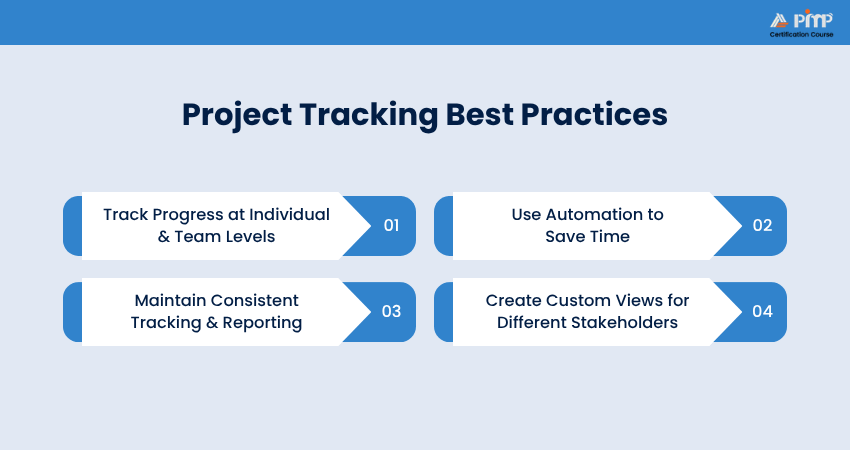
1) Track Progress at Individual and Team Levels:
To gain a complete view of project progress, monitor work at both the individual and team levels. Assign clear ownership to tasks and break larger projects into manageable activities. At the same time, track overall progress across departments or milestones to make sure the project remains on schedule.
2) Use Automation to Save Time:
Manual updates can be time-consuming and are often overlooked. Automation helps reduce repetitive work by sending deadline reminders, updating task statuses, and notifying teams about key changes. This allows teams to focus more on completing tasks and less on administrative work.
3) Maintain Consistent Tracking and Reporting:
Establish clear guidelines for updating tasks, sharing reports and communicating project progress. Regular updates help improve accountability and ensure stakeholders always have access to the latest project status.
4) Create Custom Views for Different Stakeholders:
Different team members need different levels of information. For instance, Project Managers may require detailed schedules and dependencies, while senior leaders may prefer high-level dashboards and Key Performance Indicators (KPIs). Customizing views makes it easy for everyone to access the information most relevant to their role.
Become a PMI-SP® certified scheduling expert. Register today for
PMI Scheduling Professional (PMI-SP)® Certification Training
and keep every project milestone on track.
Project Tracker Examples and Templates
Many Project Management platforms provide ready-made templates that help teams set up Project Tracking systems quickly. These templates offer a structured framework that can be customized to fit different project types and team requirements:
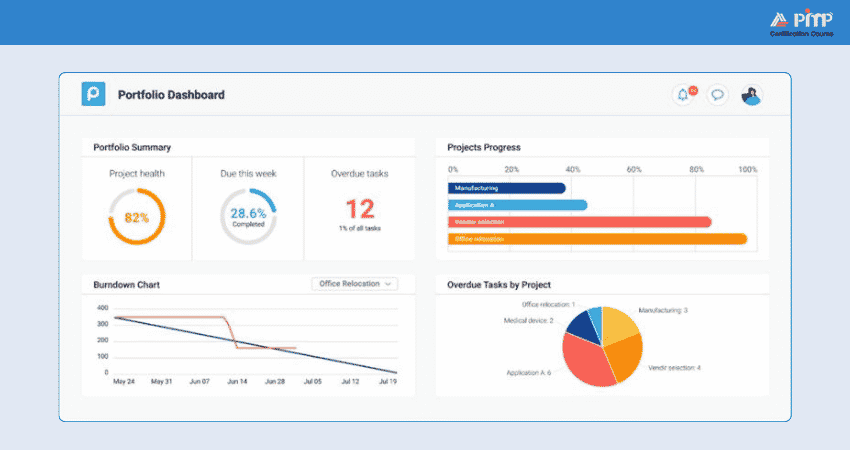
1) Project Tracker for Multiple Projects
A general Project Tracker helps teams gather tasks, budgets, stakeholders, timelines and project resources in one place. It gives a clear overview of project progress via features such as dashboards, calendars, Kanban boards and Gantt charts. This type of tracker can be adapted to fit different working styles. Here’s a sample Project Tracker:
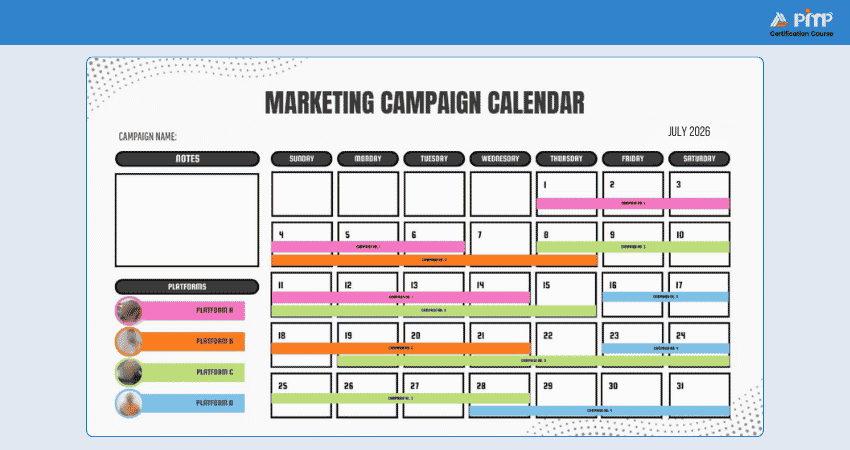
2) Marketing Content Promotion Tracker
A marketing content tracker helps marketing teams manage campaigns better. It centralizes campaign details, including content schedules, launch dates, assets and team responsibilities. With calendar and progress-tracking views, teams can monitor deadlines, coordinate activities and ensure campaigns stay on track. Here’s a template:
3) Event Tracker
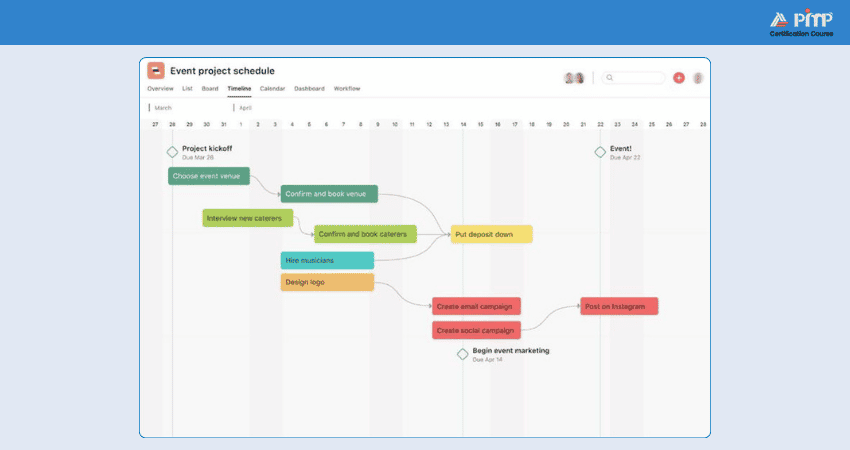
An events tracker helps event planners organize and manage every aspect of an event. You can use it to track registrations, manage schedules, assign tasks and monitor key milestones. Moreover, timeline and calendar views provide visibility into event progress, thus helping teams ensure that preparations are completed on time. Here’s a sample event Project Tracker:
4) Bug Tracker
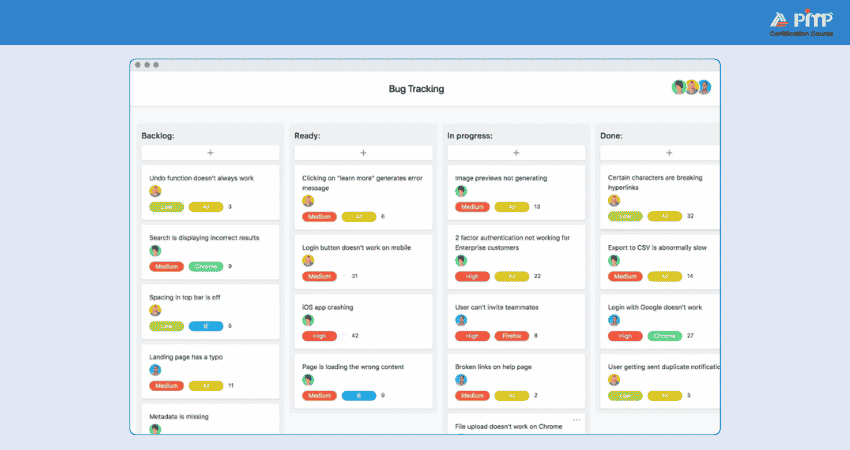
A bug tracker is commonly used by Software Development teams. It helps them record, prioritize and resolve technical issues. It helps teams classify bugs based on severity, monitor progress, and ensure critical problems are addressed quickly. Reporting and filtering features make it easier to track unresolved issues. Here’s an example:
5) HR Team Project Tracker
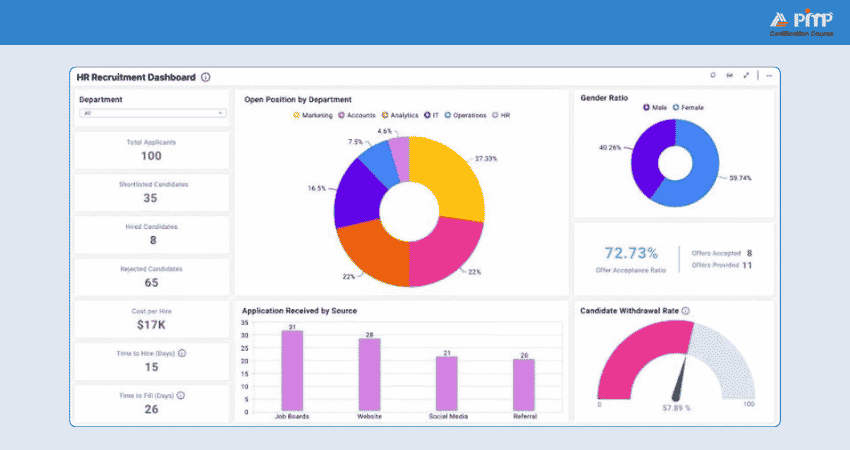
An HR Project Tracker helps Human Resources (HR) teams manage multiple projects and employee-related initiatives from a single location. It can be utilized to track recruitment activities, employee engagement programs, training initiatives and operational requests. By centralizing information, HR teams can improve collaboration and project coordination. Here’s an example:
Conclusion
A Project Tracker is the key to bringing clarity, accountability and control to every stage of a project. By combining the right tools, tracking practices and performance metrics, you can stay organized and respond quickly to challenges. Be it a single initiative or a large portfolio of projects, effective tracking turns plans into successful outcomes and keeps progress in the right direction.
Build enterprise-wide success with our comprehensive Portfolio Management Professional (PfMP)® Certification Training. Register now and maximize organizational impact!


 Back
Back

 Topics

 Courses


 10 Aug 2026

 Gary Moore